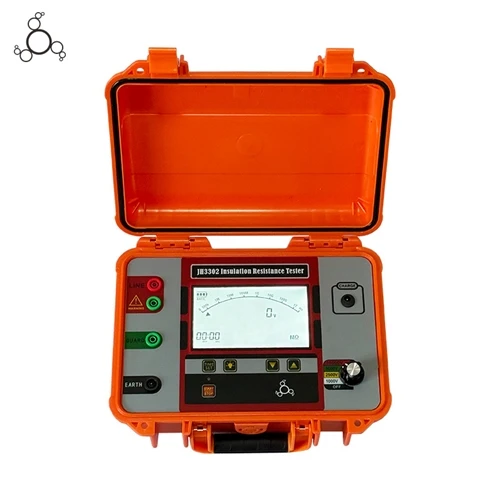
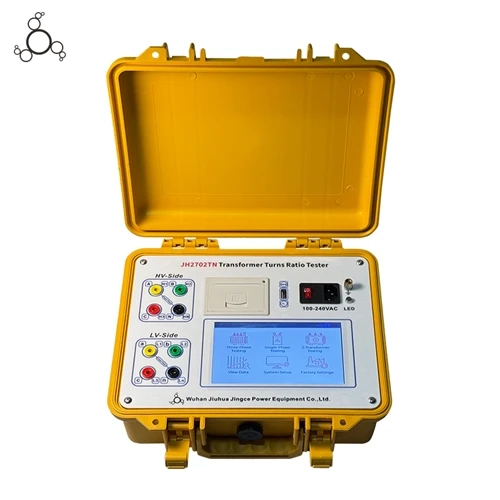
The usage instructions for a transformer tester vary depending on the specific type (e.g., DC resistance tester, turns ratio tester, capacity tester, etc.), but the general process includes preliminary preparation, wiring, parameter setting, starting the test, data recording, and subsequent maintenance.
General Usage Steps (Applicable to most transformer testers)
Preparation Before Testing
Ensure the transformer under test is de-energized and fully discharged to avoid residual charge hazard.
Check the tester's power supply or external power source for normal operation, ensure the connecting wires are undamaged, and that the clamps are making good contact.
The testing environment should be dry and well-ventilated, avoiding strong electromagnetic interference, high temperatures, or humidity.
Correct Wiring
Ware according to the instrument and transformer type:
High-voltage side: Connect to the transformer's high-voltage terminals (A/B/C or A/a).
Low-voltage side: Connect to the low-voltage terminals (a/b/c or x/y/z).
The grounding terminal must be reliably grounded to ensure safety.
Pay attention to polarity and phase sequence to prevent reverse connection from causing measurement errors or equipment damage.
Parameter Settings
After powering on, enter the main interface and select the corresponding test mode (e.g., DC resistance, turns ratio, capacity, etc.).
Input key parameters:
Rated high/low voltage value
Connection group (e.g., Yyn0, Dyn11)
Total number of tap changers and rated tap positions
Test current range (for DC resistance testing)
Frequently used parameter templates can be saved for easy reuse.
Start Test
After confirming correct wiring, click "Start Test".
The instrument automatically completes current stabilization judgment, data acquisition, and processing.
Wait for the data to stabilize (rate of change tends to 0), and the system will automatically lock the results.
Data Saving and Output
After the test, the data can be stored in the internal storage or on a USB flash drive.
If a printer is provided, the results can be printed on-site for archiving.
Supports uploading to a computer for analysis via USB or RS232 interface.
Safety Concluding
After the test, the instrument will automatically discharge (especially for inductive loads).
Disconnect the wiring only after discharge to avoid the risk of electric shock.
Clean the instrument surface and store it in a dry and ventilated place.